Read the room quickly
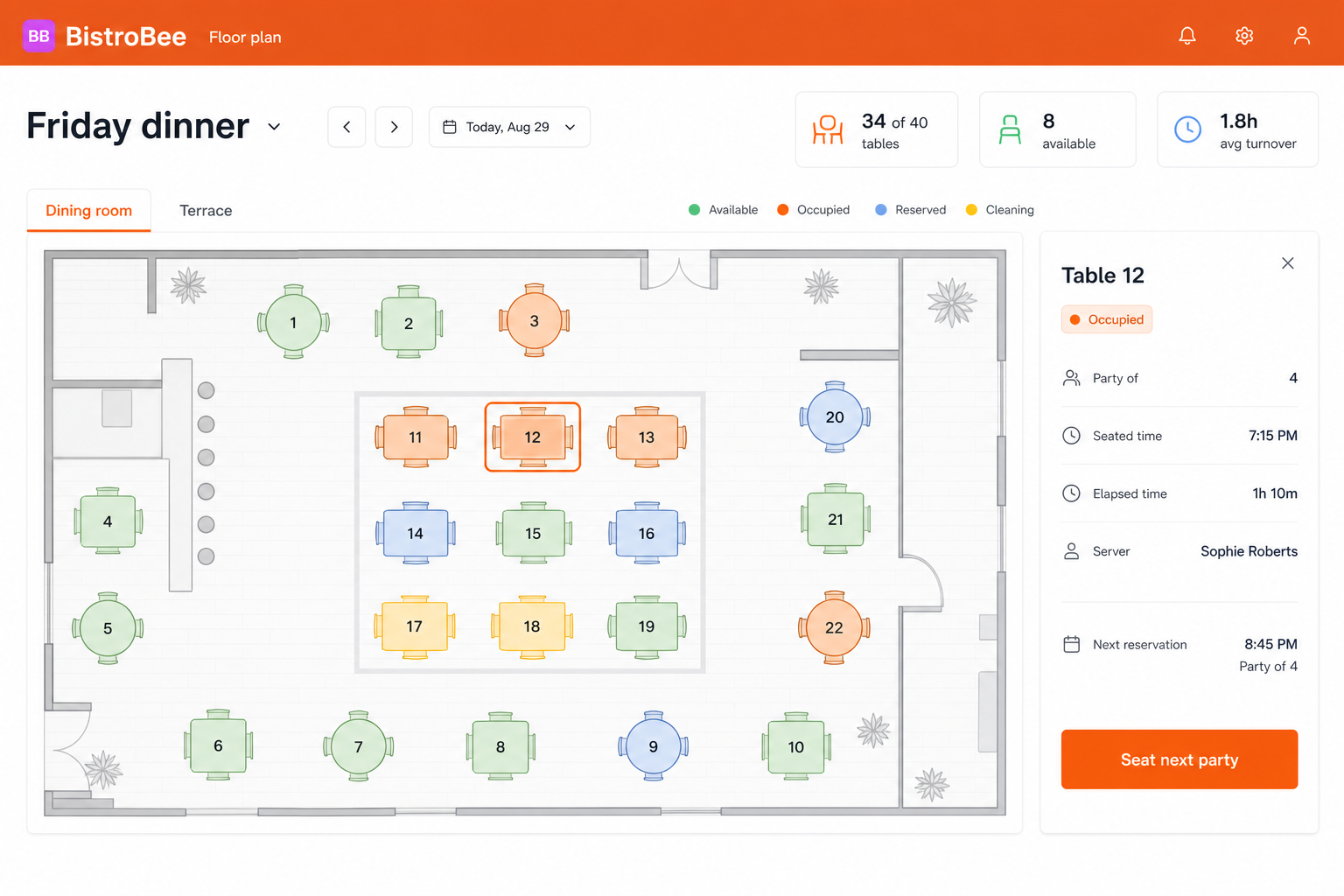
See occupied, available, reserved, and resetting tables at a glance.
Guest flow
See how the floor is moving and make better use of every table during service.
Inside the platform
This illustrative product view shows how table management keeps the relevant people, details, and next actions together.
Why it matters
See occupied, available, reserved, and resetting tables at a glance.
Check party size, seated time, server, and the next booking without leaving the floor.
Use live table status to seat guests and prepare for the next reservation.
How it works
A focused workflow keeps the operational detail visible without making the process heavier.
Reflect the real dining room, terrace, bar, and other service areas.
Move tables through available, occupied, reserved, and cleaning states.
Match waiting guests to the right table with the next booking in view.
Your next service
See how BistroBee can bring your team, bookings, tables, and venue performance into one operational view.